

Rewards
This part of the documentation will explain how the Rewards system works.
Alongside our suite of tools, uxento users can participate in our rewards program, uPoints, gaining access to the full advantages of the uxento ecosystem. Earn uPoints across all uxento products, from uDev to everything we release.
You can view your uPoints overview and level by clicking the Rewards tab in the top left toolbar on your home page.
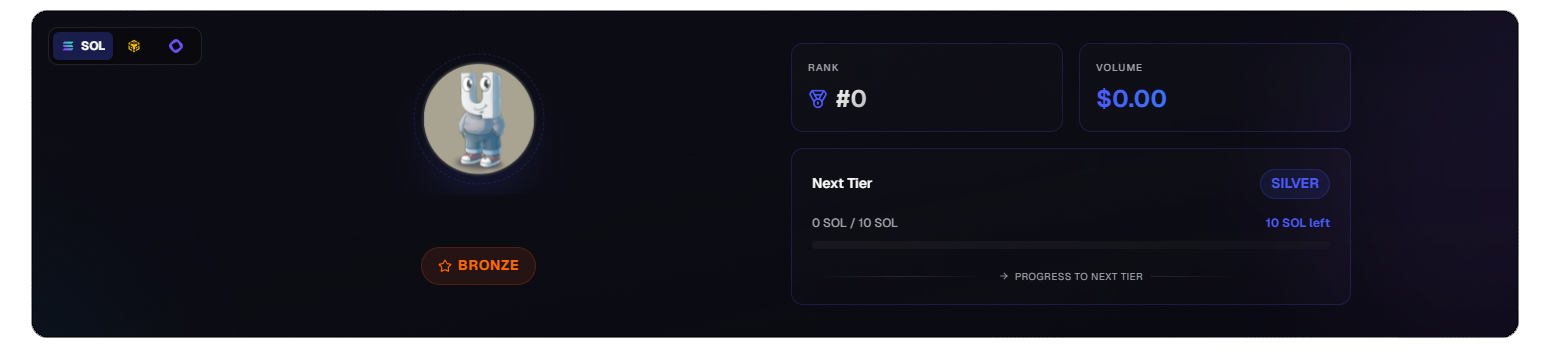
uPoints Overview
How to Earn uPoints:
Section titled “How to Earn uPoints:”uPoints can be earned by using uxento tools.
Earn uPoints by:
- Trading coins via uxento.
- Developing coins with uDev.
- Claiming rewards from uxento trackers.
- Referrals.
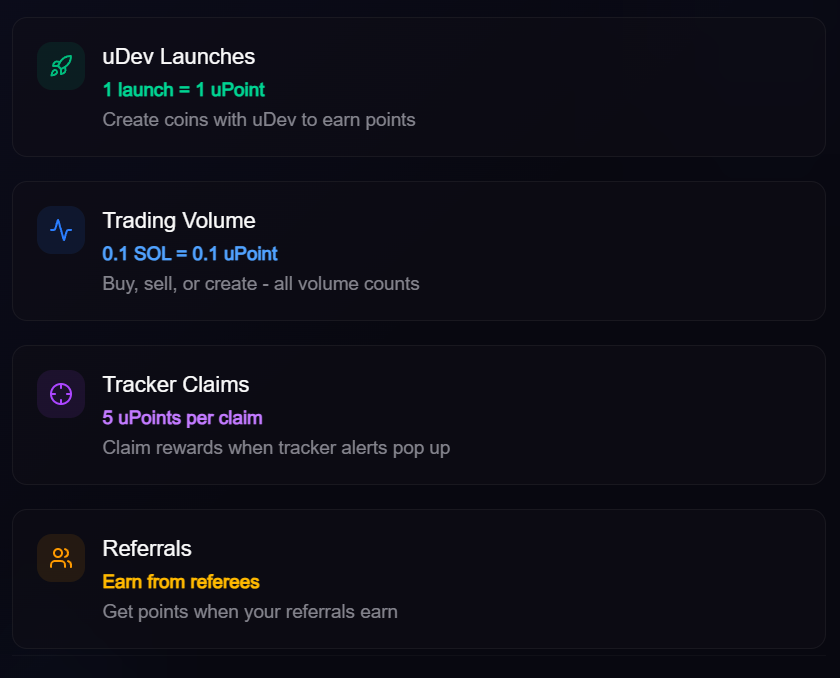

Claim uPoints by using uxento trackers.
uPoints will have an explicit purpose in the future uxento economy however there is incentive to collect them immediately as higher tiers unlock discounts on uDev deployment fees. Increase your volume to level up!
Tiers:
Section titled “Tiers:”uPoints operates under a scaled tier rewards system; earning more uPoints advances your tier as well as your discount.
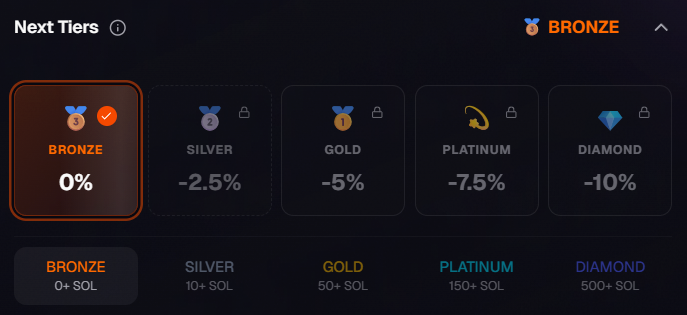
uPoints Tiers
Tier Rewards:
Bronze:
0 SOL Volume / 0% Fee Discount
Silver:
10 SOL Volume / 2.5% Fee Discount
Gold:
50 SOL Volume / 5% Fee Discount
Platinum:
150 SOL Volume / 7.5% Fee Discount
Diamond:
500 SOL Volume / 10% Fee Discount
Referrals:
Section titled “Referrals:”Users may also earn uPoints via referrals.
You can find your referral link under the ‘Referrals’ tab in the uPoints panel. When users you have referred earn using uxento, you get a percentage share of earnings, and uPoints.
Referral Rates:
Level 1:
Direct: 10% [Partners earn 20%]
Level 2:
Indirect: 5% [From your referral’s referrals]
Level 3:
Extended: 2.5% [From your extended network]
-
Direct Referrals
Section titled “Direct Referrals”Earn from users you directly referred.
-
Indirect Referrals
Section titled “Indirect Referrals”Earn from your direct referrals’ referrals.
-
Extended Network
Section titled “Extended Network”Earn from your indirect referrals’ referrals.
To learn more about how the rewards page works, you can watch the below video:
uStore:
Section titled “uStore:”uStore is where you can spend your hard earned uPoints to acquire profile customizations, additional fee discounts or add-ons such as extra slots for custom X accounts. You can redeem uPoints at any time via the ‘uStore’ tab in the Rewards panel.

To customize your profile, select which nameplate customizations you’d like to apply; you may customize your nameplate’s font, color effects and avatar animations.
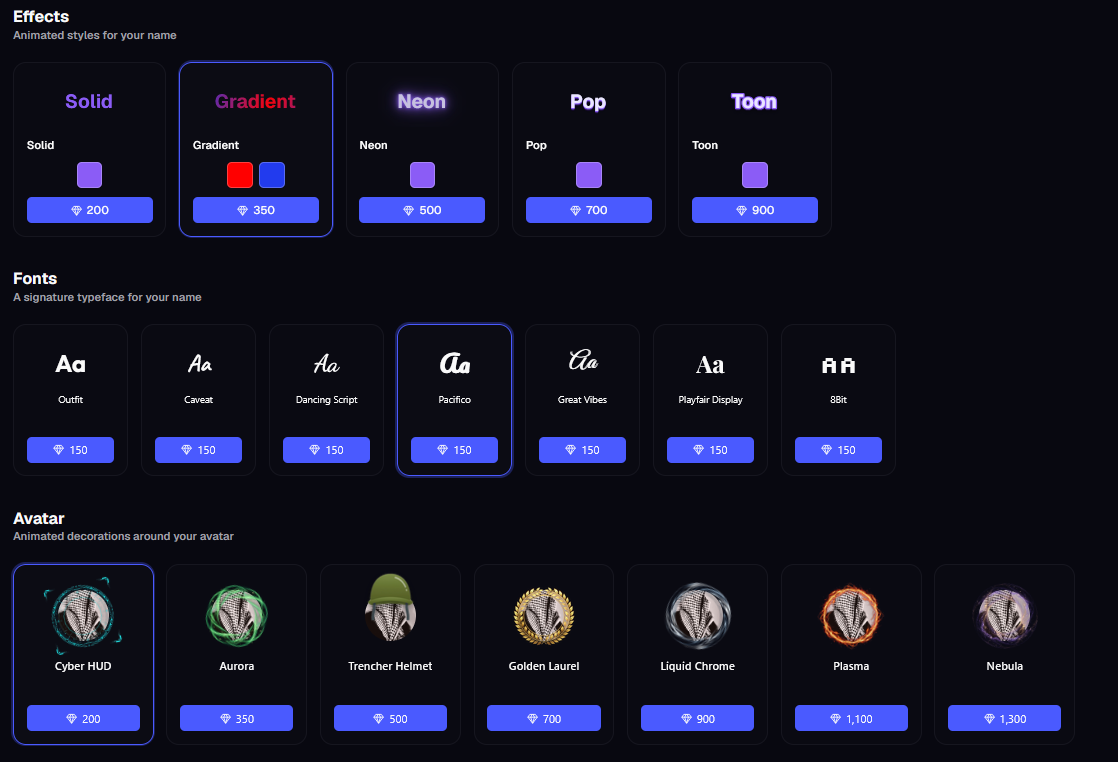
Pick and Choose From a Wide Selection of Customization Options
Preview any of these in the uStore homepage; to apply any effect permanently ensure you have enough uPoints to purchase and then click the redeem button.

Nameplate Customization Preview
You may also redeem uPoints for additional fee discounts as well as extra custom X account slots for your tracker, to do so navigate to the Perks section of the page and redeem the desired perk.
uShare:
Section titled “uShare:”Sharing your uxento tracker configurations with uShare is just another handy way uxento offers users a way to earn additional revenue share.
You can earn 10% of trading fees from users who want to use your tracker configurations; To set it up, simply click on the uShare tab on the Rewards page; generate your own uShare config link. You can send your uShare to friends and fellow uxento users via uChat.
User may also import configurations from friends or trusted traders by Importing a config by Handle using the uShare username @; just enter the uShare handle and hit ‘Import’.
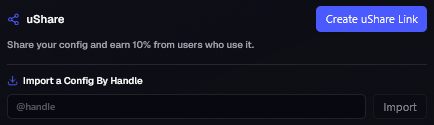
Generate uShare Link via the Rewards page
You can keep track of and claim your uShare revenue by navigating to the bottom of the Rewards page and clicking the ‘Claim’ button under the claimable balance.
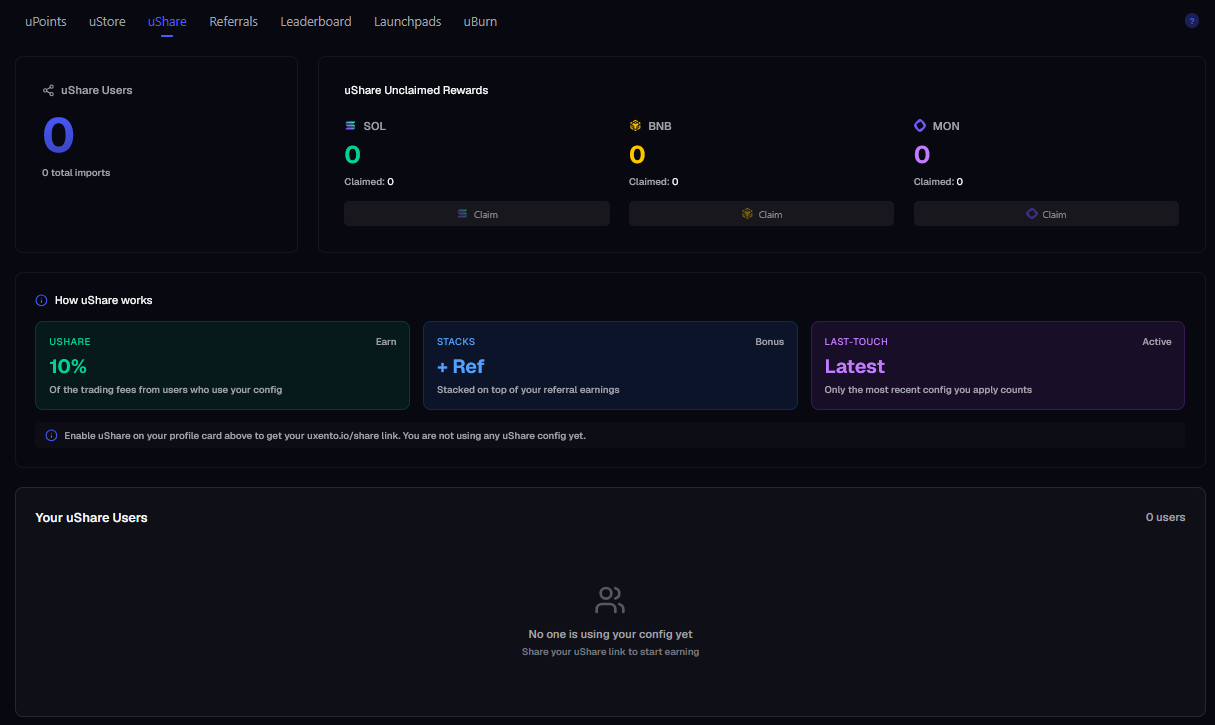
uShare Overview
Achievements:
Section titled “Achievements:”uPoints comes complete with an achievement system allowing users to earn even more uPoints by completing specialized weekly tasks. You can view current achievements and view your progress by checking the ‘Achievements’ tab in the Rewards panel.
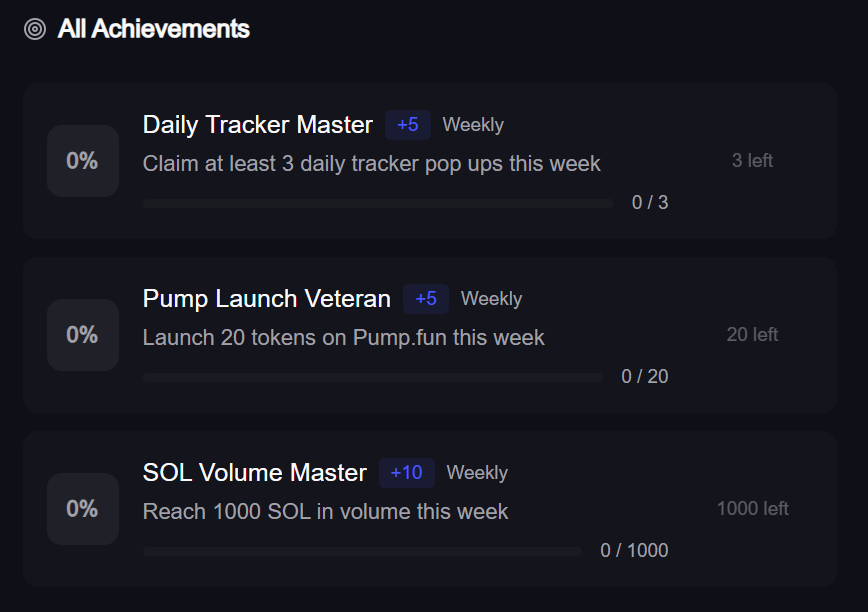
uPoints Achievements Panel.
Leaderboard:
Section titled “Leaderboard:”You may view a real-time leaderboard displaying the top uPoints performers across both total and 24-hour periods, allowing you to track your ranking, and performance changes as they happen.
uBurn:
Section titled “uBurn:”You are able to close empty token accounts and reclaim rent, for free, via uBurn. Perfect for high-volume traders and deployers looking to clean up old wallets.
To reclaim SOL navigate to the uBurn panel and click ‘Scan’ to search all attached wallets, simultaneously. uBurn will bring up which token amounts can be closed, and how much SOL you can reclaim. Just click ‘Close Accounts’ to uBurn and reclaim rent. You can claim this to each individual wallet, or send it all to your Default wallet by toggling the Consolidate to Primary button.
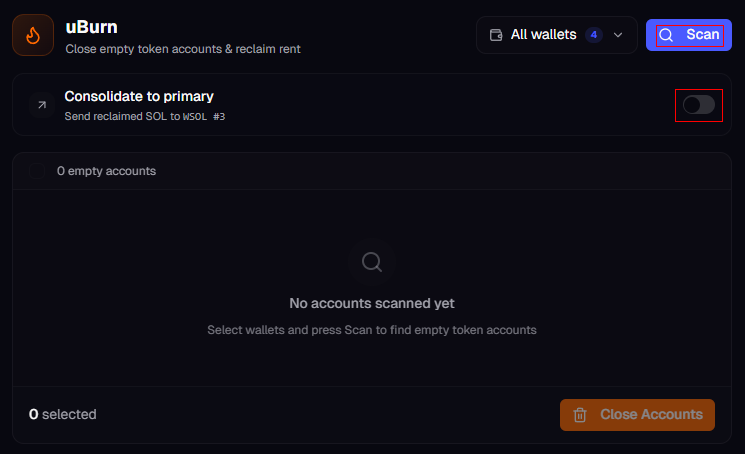
You can close token accounts and reclaim rent via the uBurn panel
Watch a live demo of uBurn below: